
Announcements
Post announcements to keep students informed
Announcements
Post updates, reminders, and resources on the class Announcements tab. Lead teachers and teaching assistants can create announcements on any class they lead or are assigned to.
Creating an announcement
- Open the class from My Classes
- Go to the Announcements tab
- Click + New Announcement
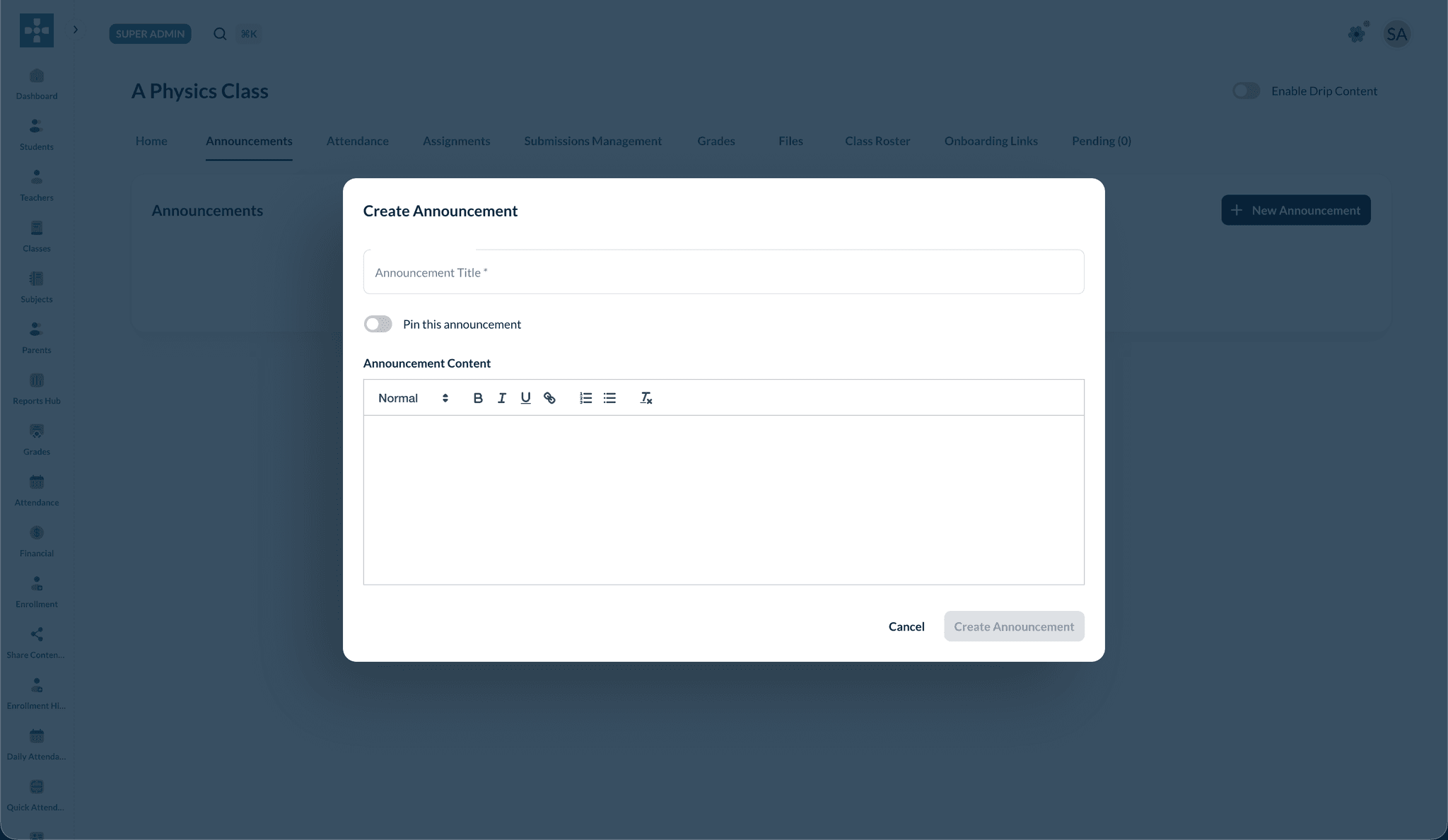
- Enter a title and body using the rich-text editor
- Optionally Pin this announcement so it stays at the top
- Click Create Announcement
Rich text formatting
Use the editor toolbar for bold, italic, underline, links, and bulleted or numbered lists.
Managing announcements
- Edit — change title or body after posting
- Delete — remove an announcement students should no longer see
- Pin — keep important items (exam dates, schedule changes) at the top
Visible to enrolled students
Announcements are visible to students enrolled in the class with active access. Pending onboarding students do not see class content until approved.
Best Practices
Related Topics
- Managing Classes — Class tabs overview
- Creating Assignments — Pair announcements with new assignments