
Submissions Management
Find, open, and act on student assignment submissions from the assignments area
Submissions Management
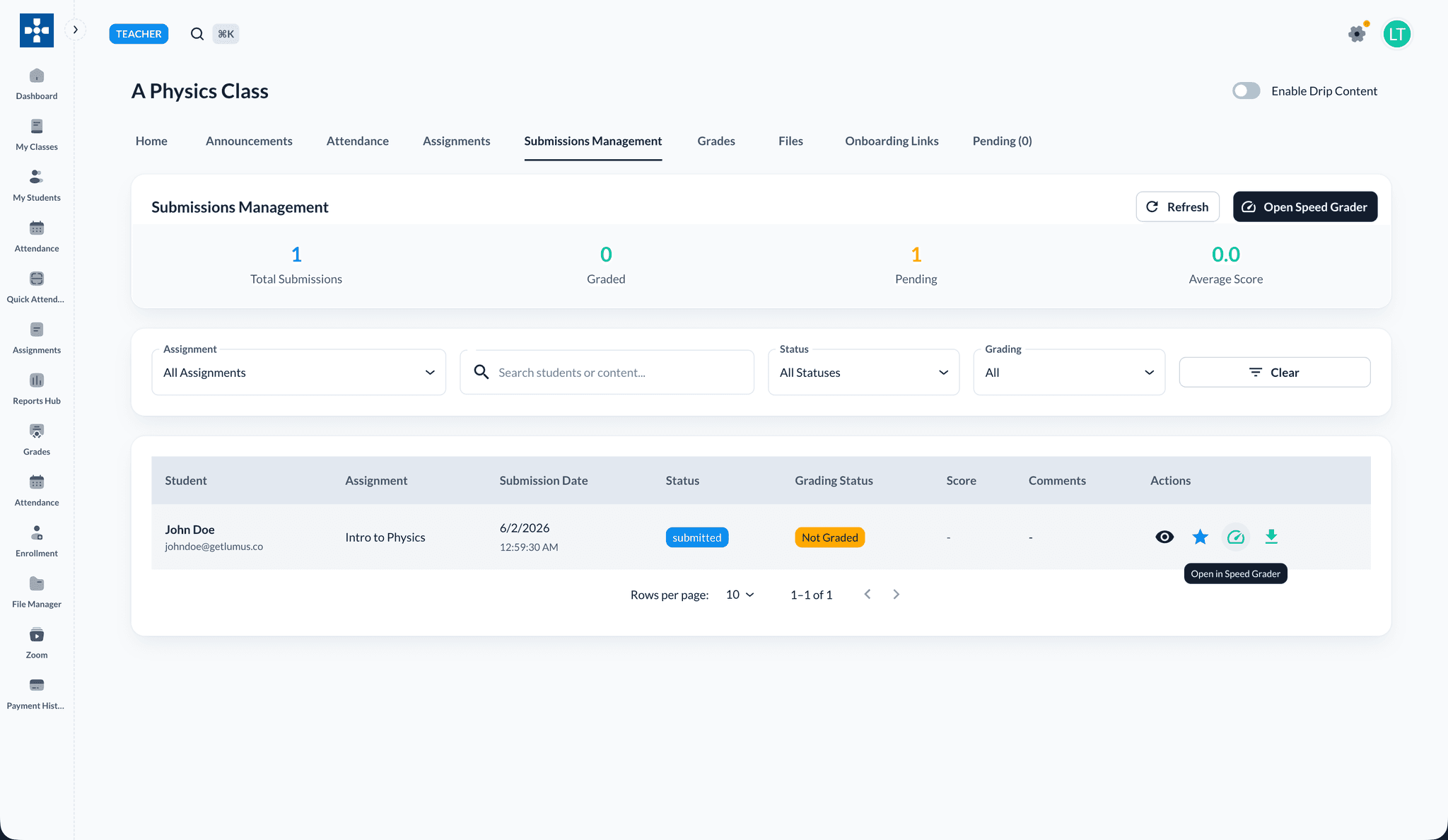
Open Submissions Management from a class page to review student work, filter by status, and grade from the list or Speed Grader.
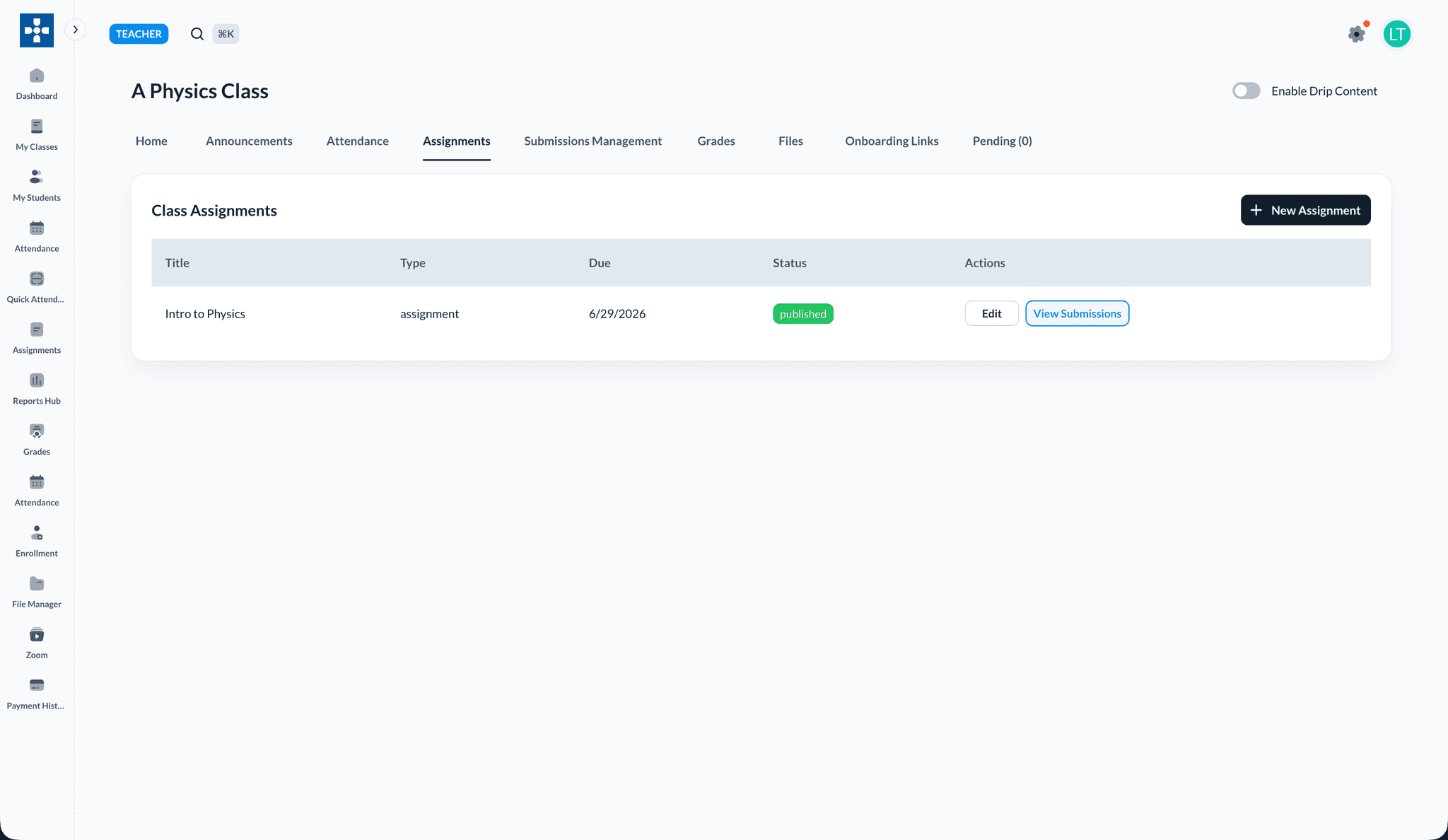
Typical workflow
- Open a class from My Classes and go to the Submissions Management tab.
- Use summary cards and filters to find ungraded submissions.
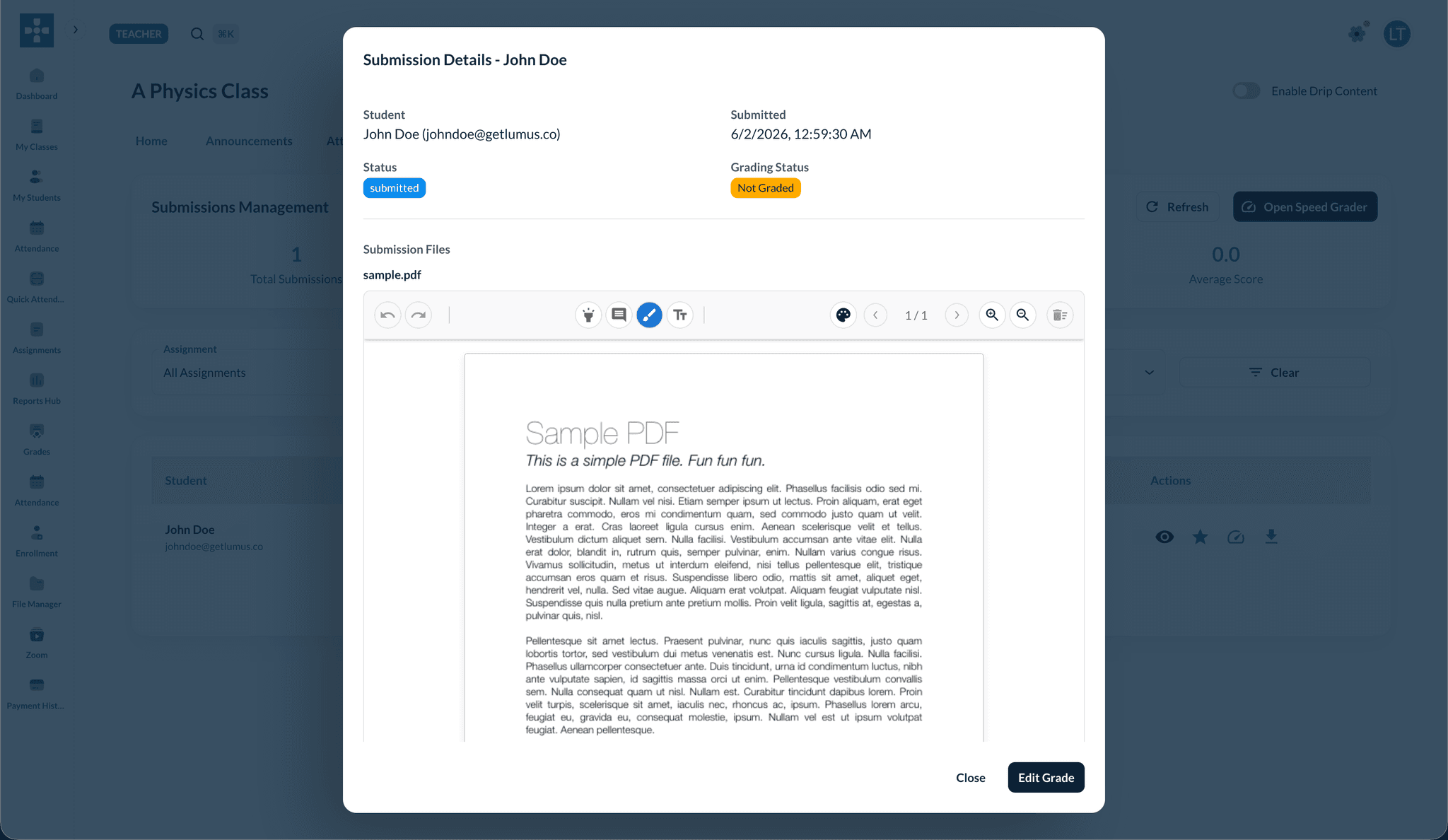
- Click View to open submission details, or use Open Speed Grader for faster grading.
Status and late work
Submissions usually show as submitted, missing, or late based on due date rules your administrator configured. Use filters or sorting in the assignment view to prioritize ungraded items.